
A customizable pet family
Soft Objects
Smooth little shapes, expressive faces and a few playful finishing touches.
Soft Objects turns simple shapes into animated companions. Start with a rice ball, a pear or a round blob, then choose a palette, a face and a little detail on top. The family has a smooth surface and small flippers that move with the body.

Pocket Rice · A real example from this family
Loading the animation…
What you can customize
Three body shapes
Choose a rice ball, a pear or a round blob. Adjust body width from 85% to 115% without changing the animation set.
Your own palette
Pick preset swatches or custom colors for the body, flippers and accents. Rice balls also have a separate nori color; hair has its own color.
Faces that move
Choose simple or bright eyes. Blinks, expressions and look directions follow the animation rather than staying fixed on the body.
Hair and accessories
Add a tiny tuft, a side fringe or a sprout. Pair the top style with a beret or round glasses, or leave either off.
Ready-made examples
Browse all petsThese looks use the same family. Meet a finished pet, or load its exact look as a starting point.
A little rice ball with a side fringe, an orange beret, and a smile for your next task.
Meet this pet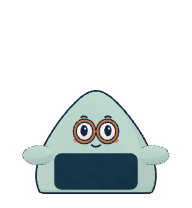
A mint-colored rice ball with bright eyes and round glasses.
Meet this pet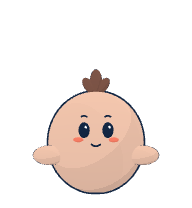
A peach-colored round companion with a tiny brown tuft.
Meet this pet
A deep teal pear with a green sprout peeking through its beret.
Meet this pet
A lilac rice ball with a purple tuft and a quiet smile.
Meet this petUse your creation with your Dot
Preview the authored motions, including waving, jumping, working and looking around. Every finished PNG includes nine animation states and sixteen look directions. This page plays the original sprite sheet, so you can see the exported animation before editing.
Choose Create pet in the editor to save your look. You get a pet page, its configuration and the original PNG. Choose Copy for Dot on the pet page, then paste the request into your Dot. The request includes the page link and a backup PNG link.
Your image is rendered in your browser. Saving the pet uploads the image and configuration; they are accessible to anyone with the pet link. Matching saved configurations reuse the existing image.
Read the pet import guide or start customizing Soft Objects.
About this family
Can I wear glasses and a beret together?
This family has one accessory slot, so choose glasses or a beret. The hair and top slot is separate. A tiny tuft tucks underneath a beret; remove the hat to see it.
Is this a fluffy or furry family?
Soft Objects has a smooth surface. Its body colors and small details are configurable, but fur, fabric textures and uploaded skins are not options in this family.
Do I need to set up the animations?
No. Every body shape uses the same authored motions. Preview them in the editor and use Loop all to play through the full set.
Can I come back to the same pet?
After creating a pet, its page keeps the configuration and original PNG. Use Customize on that page to load the saved look. New edits create a new snapshot; the earlier page stays available.